¶ OG Star Tracker V2 Semi-automatic target finding (GO‑TO) Instruction Manual
version: public beta version
applicable equipment:
¶ # Preface
The semi-automatic (Manual GOTO) function is currently in public beta. Some steps may still require refinement.
¶ # 1. Functional principle
Single-axis mounts such as the OG Star Tracker cannot achieve automatic target finding natively due to the lack of second-axis control.
This semi-automatic target finding solution uses the to install a manual axis + software to guide the, allowing you to manually rotate the second axis under the program prompts to complete precise target finding, greatly reducing the difficulty of finding stars at night.
¶ # 2. Important matters needing attention
- Semi-automatic GOTO is an extension feature for the OG Star Tracker and is used to locate celestial targets.
- recommends using a focal length ≤ 400mm; too long a focal length will cause a significant decrease in accuracy.
- The equatorial mount must be [upgraded to the latest firmware] (https://github.com/OG-star-tech/OG-star-tracker-/tree/beta) before use. Old firmware does not support this function.
- Without a counterweight, the complete setup must not exceed 2.5 kg. Add a counterweight if the setup is heavier.
¶ # 3. GO‑TO module composition
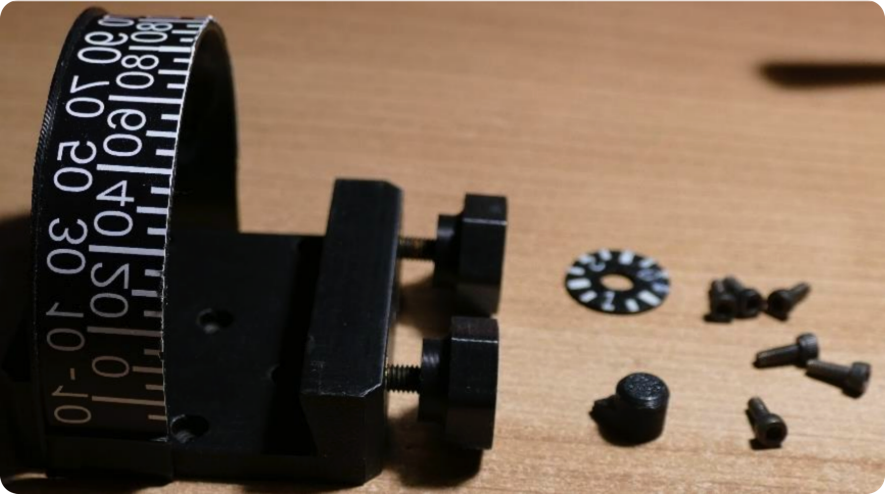
¶ # 3D printed parts
- Small scale knob
- Small dial 2
- Large dial
- Vixen bracket
- Vixen fixed knob
¶ # Standard accessories
- 6×M3×8 screws
- 2 × M5 threaded inserts
- 2 × M5×25 screws
- 1 × printed scale paper/scale sticker
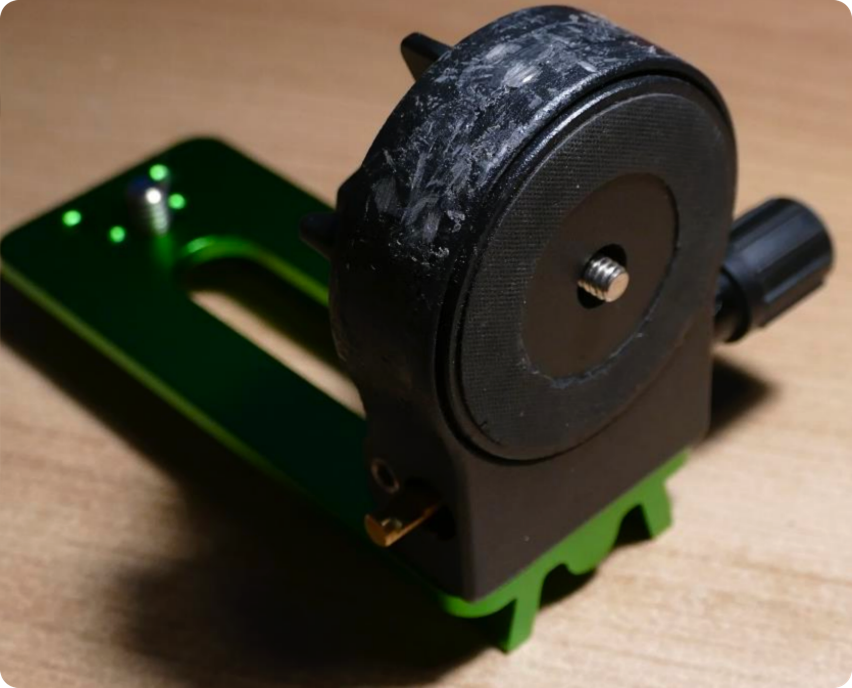
- 1 × Sky-Watcher declination bracket
¶ # 4. Installation steps
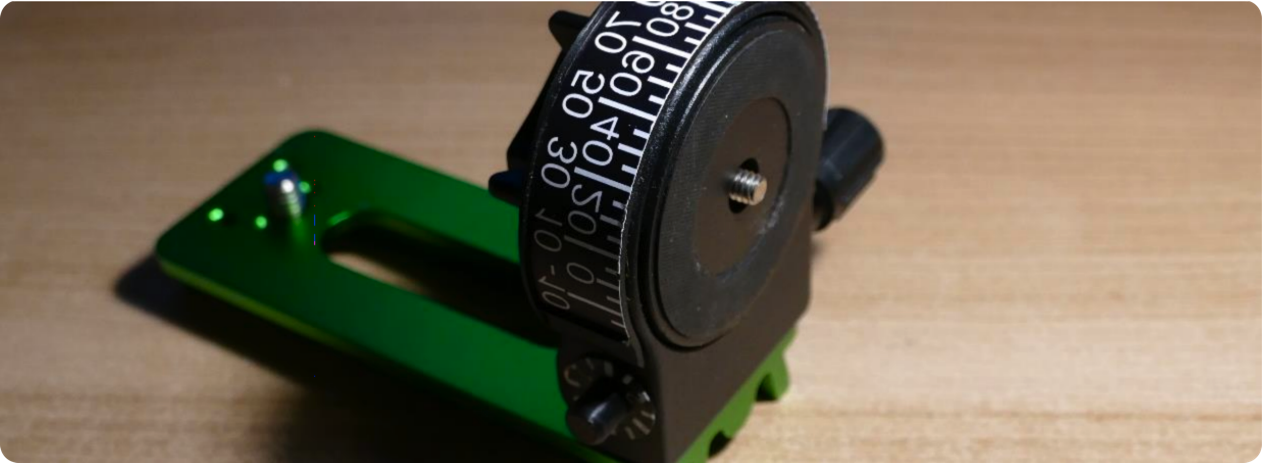
- Attach the printed scale or sticker to the outside of the large dial.
- Glue the large dial to the declination axis.
- Attach the small dial to the opposite side of the knob.
- Apply glue inside the small scale knob, put it on the brass shaft and fix it.
- Use 6 M3×8 screws to install the Vixen bracket to the large pulley.
¶ # 5. Usage process (complete steps)
-
upgrade firmware
Upgrade to the latest firmware first, older versions do not support Manual GOTO. -
Counterweight check (for extended axis)
If the total weight is ≤ 2.5kg, no counterweight is required; if it is overweight, a counterweight must be added. -
Connection device
Connect to equatorial mount console
Refer to "Connecting Equatorial Mount" connect-phone -
enters the right ascension control page
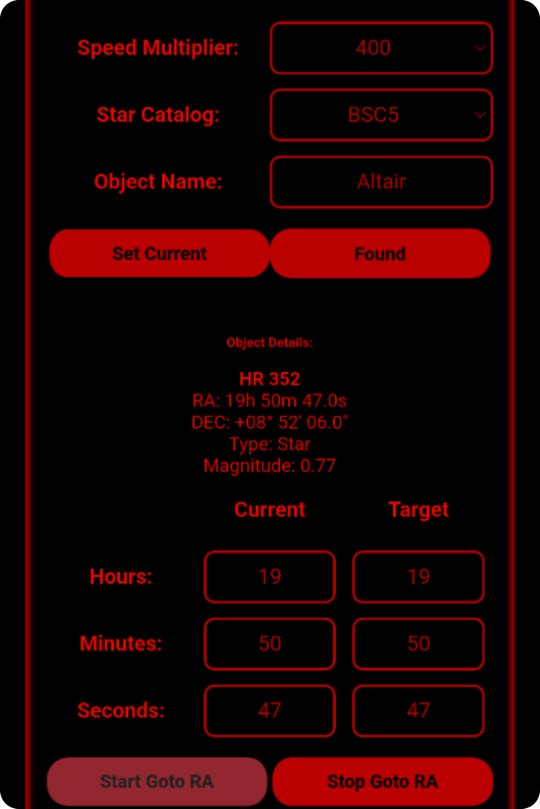
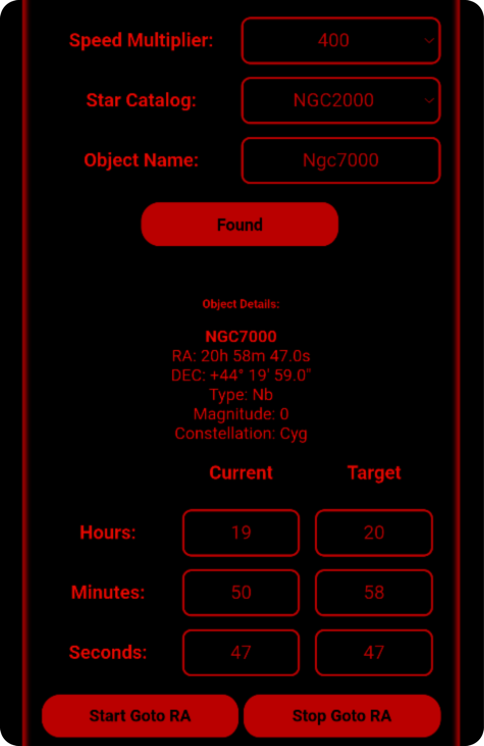
OpenGOTO RA controland set:
- Speed multiplier: 400
- Star catalog: BSC5
- Stellar calibration (key)
- The camera is pointed and centered at a known bright star (such as Altair).
- Enter the star name in the software and set it to Current Position.
The equatorial mount uses this to determine the initial orientation and complete the calibration.
-
Select the target object
Switch the star catalog to NGC2000 and enter the target number (such as NGC7000 North American Nebula).
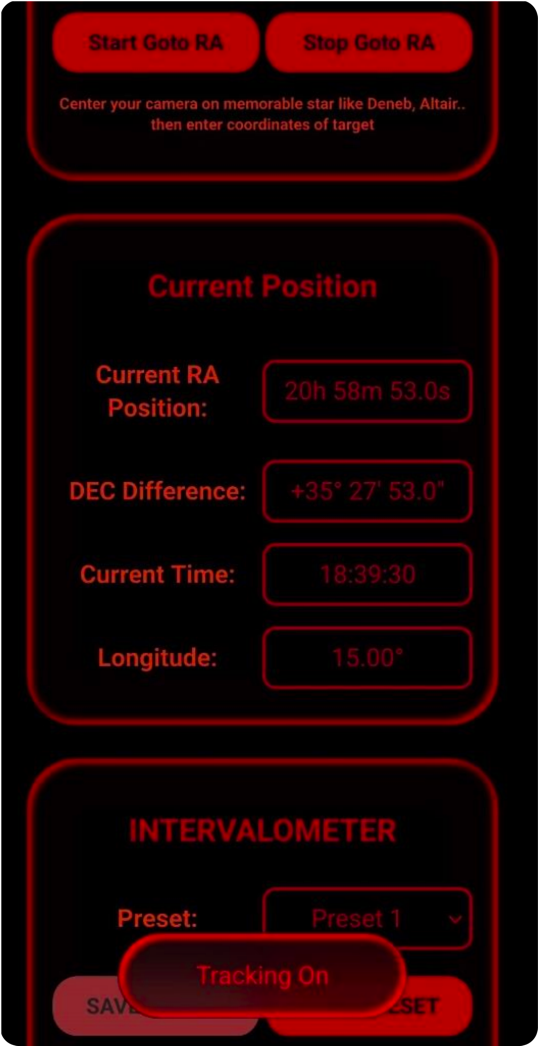
Click Star Goto Ra, and the equatorial mount will automatically complete the steering of right ascension.
-
Manual declination fine adjustment
Check the required declination angle in the softwareCurrent Positionand adjust it manually with the dial:
- Large scale: coarse adjustment
- Small scale: fine adjustment
- One knob turn = 3°. Rotate by the required angle to align with the target.
¶ # 6. Common instructions
- right ascension (RA): software automatic control
- declination (Dec): Manual scale knob control
- This solution is semi-automatic target finding, which is suitable for rapid positioning in photography and observation.