¶ Description of Daytime Lapse Pan
Daytime Lapse Pan (panning time-lapse) mode is a time-lapse photography mode that combines automatic shooting and movement. In this mode, the device will automatically move the main axis according to the set angle after each shooting, thereby achieving the effect of gradual panning of the screen.
This mode is suitable for shooting scenes containing multiple targets, or creating time-lapse images with dynamic panning effects.
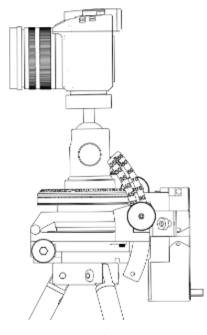
¶ 1. Functional principle
In panning delay mode, the tracker will automatically run according to the following process:
- Take a photo
- Move once according to the set angle
- Take the next photo
- Repeat the above process until the shooting is completed
Final effect:
After multiple photos are combined continuously, they can form:
Smooth screen movement (Pan) effect
The visual effect is similar to that of a photographer manually moving the camera slowly.
¶ 2. Applicable scenarios
This mode is suitable for the following shooting needs:
¶ # 1. Scenarios containing multiple targets
For example:
- The Milky Way extending horizontally
- Large-scale starry sky scene
- Pictures with multiple landscape elements
- Panoramic time-lapse of city or mountain
By moving the camera step by step, you can:
Cover a larger area of the frame in the same set of photos
¶ # 2. Create time-lapse images with moving effects
For example:
- Starry sky panning delay
- Milky Way time-lapse
- Nighttime landscape time-lapse
- Creative dynamic time-lapse photography
This mode allows the final video to have:
Natural camera movement effect
Improve visual expression.
¶ 3. Pan Angle setting (Pan Angle)
Pan Angle (pan angle) is used to set:
The angle of movement of the tracker after each shot
Unit:
Degree (°)
¶ # Example of how it works
For example:
If set:
Pan Angle = 2°
means:
After each photo is taken:
The device will move automatically:
2°
Then move on to the next photo.
After many iterations:
The camera perspective will gradually pan.
¶ # Setting suggestions
¶ # Small angle (recommended)
For example:
0.2° – 1°
Applies to:
- Starry sky delay
- Night time delay
- Scenes that require smooth transition effects
Features:
The screen moves slowly
Video effect is natural
¶ # Large angle
For example:
1° – 5°
Applies to:
- Covers a wide range of scenes
- Quickly scan multiple targets
- Creative photography
Features:
obvious movement
Visual changes are stronger
¶ 4. Equipment attitude requirements (important)
When using pan delay mode:
It is strongly recommended to set the tracker to Travel Mode
That is:
The device is in a horizontal position (Horizontal Position)
¶ # Reason explanation
In horizontal state:
The equipment structure is more stable, helping to:
- Improve movement consistency
- Reduce the impact of gravity
- Prevent structure from tilting
- Improve overall reliability
At the same time:
The horizontal state is more suitable for continuous angular movement.
¶ 5. Usage suggestions
For best results, it is recommended to follow the following principles:
- Use a stable tripod
- Select a smaller translation angle to start testing
- Make sure the device is level (travel mode)
- Adjust the shooting interval according to the scene
- It is recommended to take a small number of test shots first
¶ 6. Typical application examples
¶ # Starry sky panning delay (recommended)
Applicable:
- Milky Way time-lapse
- Night sky panning video
Recommended parameters:
- Pan Angle:0.3° – 0.8°
- Use wide angle lens
- Keep equipment level
Effect:
The screen moves slowly
The visual effect is natural and smooth.
¶ # Large-area scene scan
Applicable:
- Scenarios spanning multiple targets
- Large area of sky or landscape
Recommended parameters:
- Pan Angle:1° – 3°
- Adjust based on target quantity
Effect:
Gradually cover multiple areas
Suitable for producing time-lapse images of large scenes.
¶ 7. Key things to note
When using panning delay mode, please note:
- Make sure the device is placed horizontally
- Excessive panning angle may cause the screen to jump.
- Tripod stability directly affects imaging quality
- It is recommended to conduct test shooting before official operation.
Correctly setting the panning delay parameters can help users create more dynamic and expressive time-lapse images.